The Legacy (old) version of RefWorks will no longer be available from 1st September 2022. If you are using this version, you must upgrade your account to the newest version of RefWorks, or you will lose your references. To do this, you can click on the Upgrade button in your RefWorks account:
Friday, 1 July 2022
Legacy RefWorks is being retired
Wednesday, 22 June 2022
RefWorks access - at risk period for Legacy Refworks
We are currently trying to solve some continuing issues with access to RefWorks. As a result, we may need to temporarily shut off access to Legacy RefWorks at times during the next two weeks. Please contact us at library.technical@beds.ac.uk if you discover access problems.
We would encourage users to switch to the main version of RefWorks, as we are not sure how long it will be possible to continue supporting Legacy Refworks. For details of how to switch see https://knowledge.exlibrisgroup.com/RefWorks/Product_Materials/Upgrade_Toolkit/Upgrading_to_the_New_RefWorks_User or speak to your Academic Liaison Librarian.
Friday, 17 June 2022
RefWorks login problem fixed
We're happy to say that yesterday's problem is fixed and RefWorks login should be back to normal. If you get any further issues, please let us know.
Thursday, 16 June 2022
RefWorks login problem
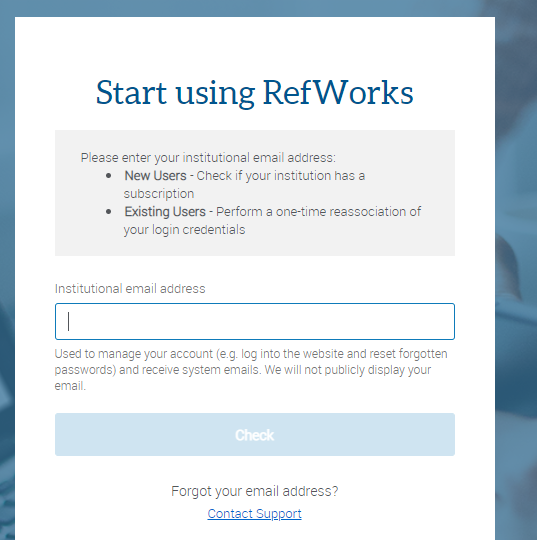
We are currently having an issue where RefWorks asks you to input your email address, sends you a confirmation email, but you are then unable to get past this page
Thursday, 7 October 2021
RefWorks login problem
We are having problems with RefWorks login this afternoon, with users reporting error messages. We have reported this to RefWorks and hope that it will be fixed soon.
Friday, 13 August 2021
Important Update for Write-N-Cite Users
RefWorks launches updates to Write-n-Cite (WnC) on August 17.
This new version,4.6.241 (or higher) for Windows / 4.6.212 (or higher) for Mac, will be available on the Tools page of RefWorks and legacy RefWorks and here.
Please note:
- Write-N-Cite is for those using Word 2016 and below only
- For users of Word 2016 and above, RefWorks Citation Manager (RCM) should be used
- Current RCM users can disregard this notification
The new version of Write-N-Cite provides:
- Additional security enhancements
- Resolution of command window staying open during update to a new WnC version or uninstall of WnC, for both user-installed versions and IT versions of WnC, used to install WnC institution-wide.
- Support of new reference types and fields being added to RefWorks in our upcoming monthly release
How Can Users Upgrade:
When users open Write-N-Cite they will be prompted to upgrade. Additionally users will receive an in-app message in RefWorks and in legacy RefWorks announcing this new version is available. Users can download the new version from the Tools page of RefWorks and legacy RefWorks and from here.

What If a User Doesn’t Upgrade:
Users who do not upgrade now will be able to continue using current versions, but won't have the new features described above. However, starting October 1, older versions will no longer work. We recommend updating to the latest version as soon as it will be available.
Wednesday, 16 June 2021
New version of Write-n-Cite coming 23rd June
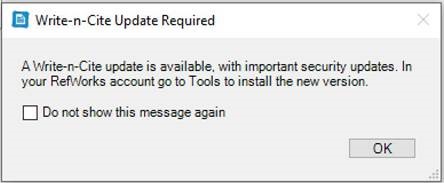
RefWorks will be launching a new Write-n-Cite (WnC) version on June 23, 2021. This new version, 4.6.201 (or higher), will be available on the Tools page of RefWorks (and legacy RefWorks). In addition, all new versions will be available for download here. This new version will provide improved security so RefWorks recommend upgrading once it is available. Please note however, previous versions will still work.
Once the new version of WnC is released, on June 23, if you open WnC you will see a message like this: